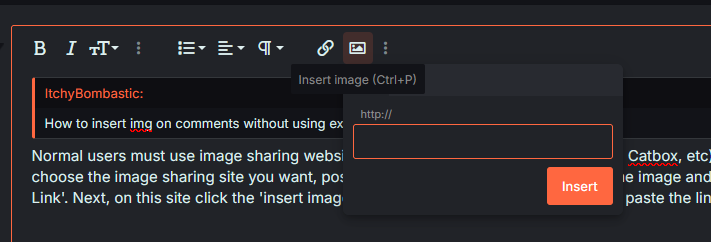
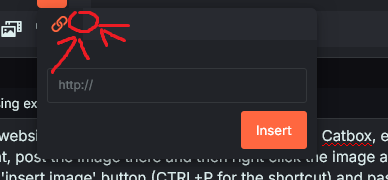
Normal users must use image sharing websites to post images on the site (ie Imgur, Catbox, etc). So after you choose the image sharing site you want, post the image there and then right click the image and click 'Copy Image Link'. Next, on this site, click the 'Insert image' button (CTRL+P for the shortcut) and paste the link and then viola.
But if you want to insert images directly onto here without using those image sharing websites you must have the role above regular member, so roles like Group Leader, Contributer, Supporter, VIP, etc. If you have any of those roles you will get another button to directly insert videos/images onto the site right beside the 'Insert image' button (I can't show you this since I'm also a normal user).
https://forums.mangadex.org/threads/en-site-role-list-requirements-faq.1126410/
https://forums.mangadex.org/threads/en-how-to-get-roles-on-the-discord-server.2190321/