The newbie popularity poll

Chose your newbie

  • TheSeer

  • Itsukimoto

  • Fungifordinner

  • Medalion

  • Mylovenovels

  • Yogurtman250


Results are only viewable after voting.
Dex-chan lover
Joined
Nov 6, 2025
Messages
1,482
Currently, for true perfection, one would need to switch 1 The seer vote to itsu Medalion now.
Popularity is over, this now is a group exercise in balance
I mean we could also bring everything to a stalemate by assigning everyone the same number of votes. :thonk:
Or everyone votes for @medalion and @yogurtman250
you could change it to the black horse who has the least votes
Wouldn't it be very funny if everyone suddenly changed their vote at the last second....
...or even removed them entirely, leaving this poll voteless. :meguu:
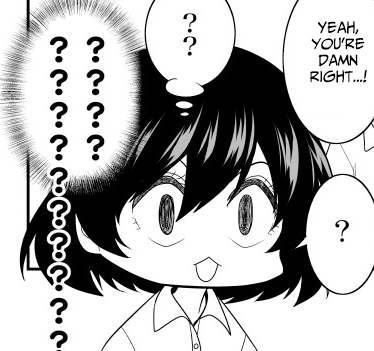
You oldies stay away from this-nya
images
 
Dex-chan lover
Joined
Nov 18, 2018
Messages
18,492
says the dude who made that Ayu Ayu Karen image within 9 minutes
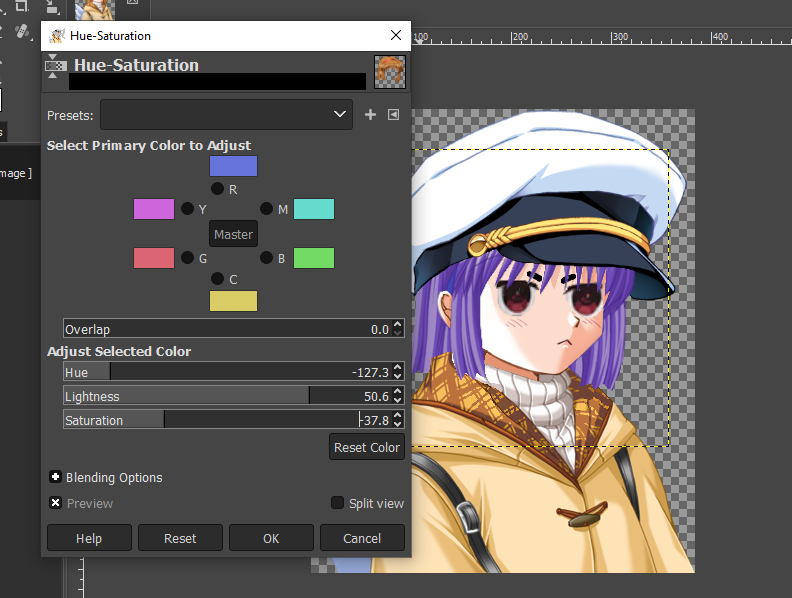
I already had the template since I have done this many times before with previous arcs. All I would need to do is change the color of the hair through Hue-Saturation. And Robin would tell me this is the wrong way to do if he was around lol.
1dwzn9.PNG
 
Purple Loli Behind the Slaughter
Joined
Apr 11, 2024
Messages
3,249
I already had the template since I have done this many times before with previous arcs. All I would need to do is change the color of the hair through Hue-Saturation. And Robin would tell me this is the wrong way to do if he was around lol.
1dwzn9.PNG
didn't know that tool existed in GIMP

but then again, I don't use GIMP

if I wanted to recolor something to a specific color, I'd
  1. check the RGB value of the color of the thing I'm trying to recolor
  2. compare it to the RGB value of the color I'm trying to recolor the thing with
  3. find the difference between said RGB values
  4. set that as my color on the brush on Krita
  5. create a new layer set to "Color" mode/set my brush mode to "Color"
  6. paint over the entire thing/use the fill bucket tool
so it's just like your method with added steps
 
Dex-chan lover
Joined
Nov 18, 2018
Messages
18,492
didn't know that tool existed in GIMP

but then again, I don't use GIMP

if I wanted to recolor something to a specific color, I'd
  1. check the RGB value of the color of the thing I'm trying to recolor
  2. compare it to the RGB value of the color I'm trying to recolor the thing with
  3. find the difference between said RGB values
  4. set that as my color on the brush on Krita
  5. create a new layer set to "Color" mode/set my brush mode to "Color"
  6. paint over the entire thing/use the fill bucket tool
so it's just like your method with added steps
There's an even easier/simple method of doing it that @Robinisback showed me back during the ISLAND arc, but I couldn't get it to work so I just lied and told him I understood.
viyeom.png

Love Disasters of a Meddlesome Girl
 
Purple Loli Behind the Slaughter
Joined
Apr 11, 2024
Messages
3,249

Users who are viewing this thread

  • Top