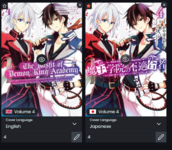
Unable to upload cover images

Contributor
Joined
Sep 15, 2018
Messages
230
I'm having trouble uploading cover images. Example: The Misfit of Demon King Academy. I found the cover image for volume 4. I can "upload" through edit and hit save. No error message. Then I wait about a minute for the page to update and reload. When I go to the art page to see if the cover was uploaded, it wasn't.

P.S. I also found cover images for Chinese (Trad), Korean (volume 1 only), and Thai.

I'm only attaching the volume 4 English cover.
 

Attachments

  • The Misfit of Demon King Academy 4 (English).jpg
    The Misfit of Demon King Academy 4 (English).jpg
    287.6 KB · Views: 0
Contributor
Joined
Feb 4, 2019
Messages
8,675
It looks like one of your previous attempts was successful, or the cover was already uploaded before you tried.

Screenshot 2025-11-17 123914.png
 
Contributor
Joined
Sep 15, 2018
Messages
230
It's possible someone else uploaded the English cover image. I'm still having no luck of uploading any cover image.

The message after the save indicates that the cover images were uploaded, but after waiting an appropriate amount of time, the images just do not appear. I used to be able to do this with no problem. I don't know what changed.
 
Contributor
Joined
Jan 8, 2023
Messages
1,141
How do you check that the cover was correctly uploaded?
In the art tab you have a language filter, maybe that's why you didn't see it?
Did you check while editing if your cover was uploaded?

Do you have extensions that might block the upload?
Did you try in Incognito mode?
 
Contributor
Joined
Sep 15, 2018
Messages
230
I do look at the art tab and click for all languages. And the extensions I use are either .png or .jpg/.jpeg. They are also within the size guidelines.

Anything I upload should be under the art tab, but even though after uploading the images and hitting save with the message that they were uploaded with no problem, they never show up in the art tab like they should.

Another example: I have 4 Thai cover images for Training Regimes of the World's Strongest Women. I edit the manga and go to the bottom where the cover images are located. I upload all 4 and relabel them as necessary. Then I hit the save button. After a few seconds the jumping girl with the message that the title was successfully saved appears. I then hit the back button. I wait at least 1 minute for the save to take hold, then reload the page and check the art button and make sure its set for any locale. The images just don't appear.

This is happening for any cover image I upload.

P.S. what is incognito mode?
 
Womp Womp
Staff
Super Moderator
Joined
Aug 23, 2023
Messages
445
After a few seconds the jumping girl with the message that the title was successfully saved appears.
Doesn't know who our lovely raccoon Dex-chan is... :meguuusad:
I then hit the back button. I wait at least 1 minute for the save to take hold, then reload the page and check the art button and make sure its set for any locale. The images just don't appear.

This is happening for any cover image I upload.
The system first creates smaller copies of the cover before showing them in the art section, so you might want to wait a bit more (especially if you uploaded multiple times), as well as clear the cache.
P.S. what is incognito mode?
:shamihuh:
Incognito or private mode is something that makes your actions not get logged in the browser history, but that's pretty much it (Google and Meta will still know who you are)
 
Contributor
Joined
Sep 15, 2018
Messages
230
I just noticed that Kagamisor being unable to upload cover images was due to his cover image uploading being revoked. I'm wondering if that is the case with me and what would the reason be. It would have to be different from Kagamisor because I don't upload fan-based cover images. They are all images that I painstakingly search the net for.
 
Contributor
Joined
May 31, 2023
Messages
2,243
Hello? Can anyone answer my question?
Try checking your network tab when hitting the save button when uploading cover(s).
If your upload fails for whatever reason, you should see an error there. And the response should give you an idea as to what went wrong as well. On the other hand, if no errors show up in the network tab, your cover(s) should've been uploaded successfully, even though you might not see them immediately. In that case, you'll have to wait and eventually reload the page, as barto already said.
 
Contributor
Joined
Sep 15, 2018
Messages
230
Network tab? What's that. Just tried uploading the English 12-14 covers for Kumo desuga, Nani ka?

Everything goes fine. Though the cover upload bar doesn't show upload progress, but yet the Title successfully updates. No matter how long I wait, the covers do not show up.
 
Contributor
Joined
Sep 15, 2018
Messages
230
Got it. I get a 403 Forbidden message along with "User is not allowed to upload covers." Doesn't give the reason why I'm not allowed to upload covers.
 
Contributor
Joined
Jan 19, 2018
Messages
664
So, how can I get a mod to reinstate my right to upload covers? I would also like to know why I lost my right to begin with.
Asking on Discord would be the fastest way to find out why your permissions were removed, mods are usually more active there. Otherwise you gotta wait for one to see this and tell you.
 

Users who are viewing this thread

Top